

Share files with us
Each project has a Files section where you send us your content and we share files back with you.
Add files
Section titled “Add files”- Open the project under Your projects → Projects.
- Scroll to Files and click Add files.
- Choose your files, then click Upload.
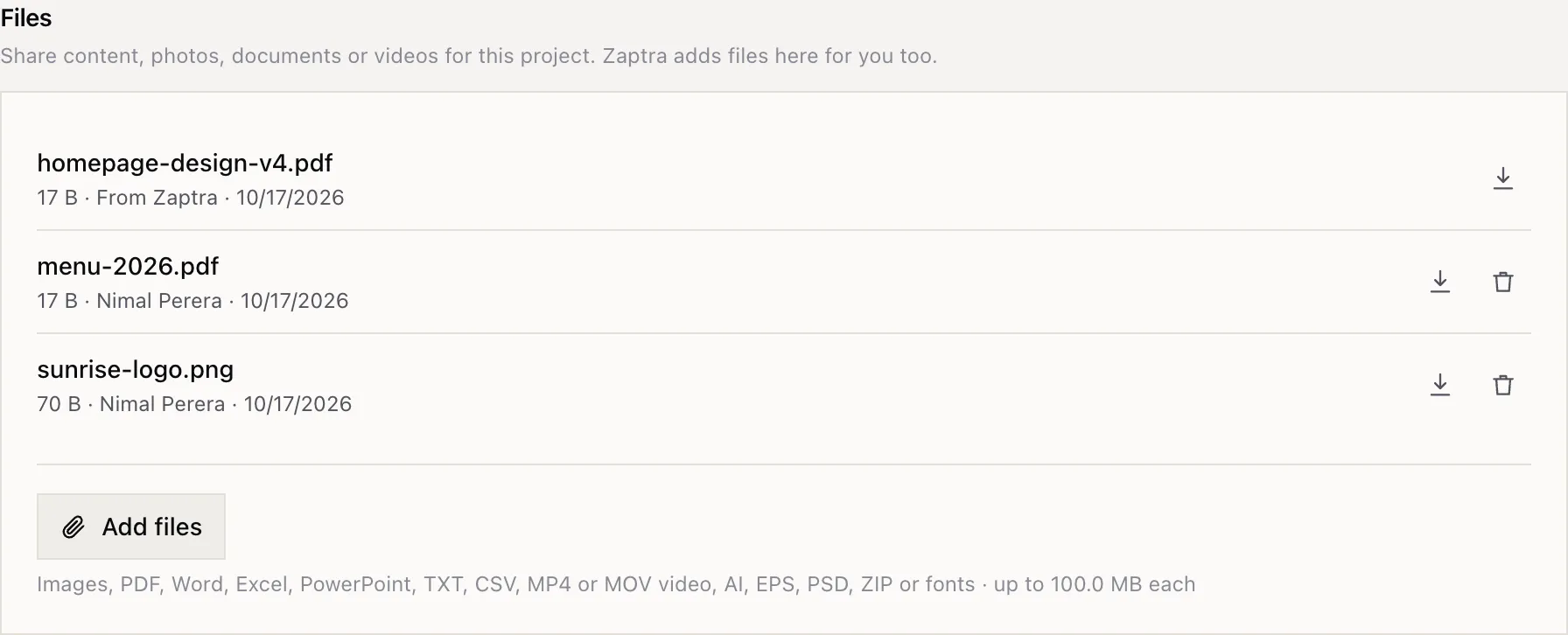
You can add up to 10 files at a time, up to 100 MB each: images, PDFs, Word, Excel and PowerPoint files, text and CSV files, MP4 or MOV videos, design files (AI, EPS, PSD), ZIPs and fonts.
Your organisation has 250 MB of storage in total, across projects, requests and messages. Remove files you no longer need to free up space.
Owner and Marketing users can add files, and can remove files their team added.
Download files
Section titled “Download files”Everyone who can see the project can download its files. Each file shows its size, who added it (From Zaptra or the person on your team), and the date. Click the download icon to save it.
Other places to send files
Section titled “Other places to send files”Files on requests and messages can be up to 25 MB each.