

Approve your website
When a design or version of your website is ready, we send it for your approval. You’ll get a notification and an email, and it appears under Your projects → Approvals and on the project page.
Review and decide
Section titled “Review and decide”- Open the approval and click Open the demo ↗. The demo opens in a new tab.
- Check it on your computer and phone.
- Back in Zaptra One, choose one:
- Approve if you’re happy with it.
- Request changes, then write what needs to change and click Send the changes.
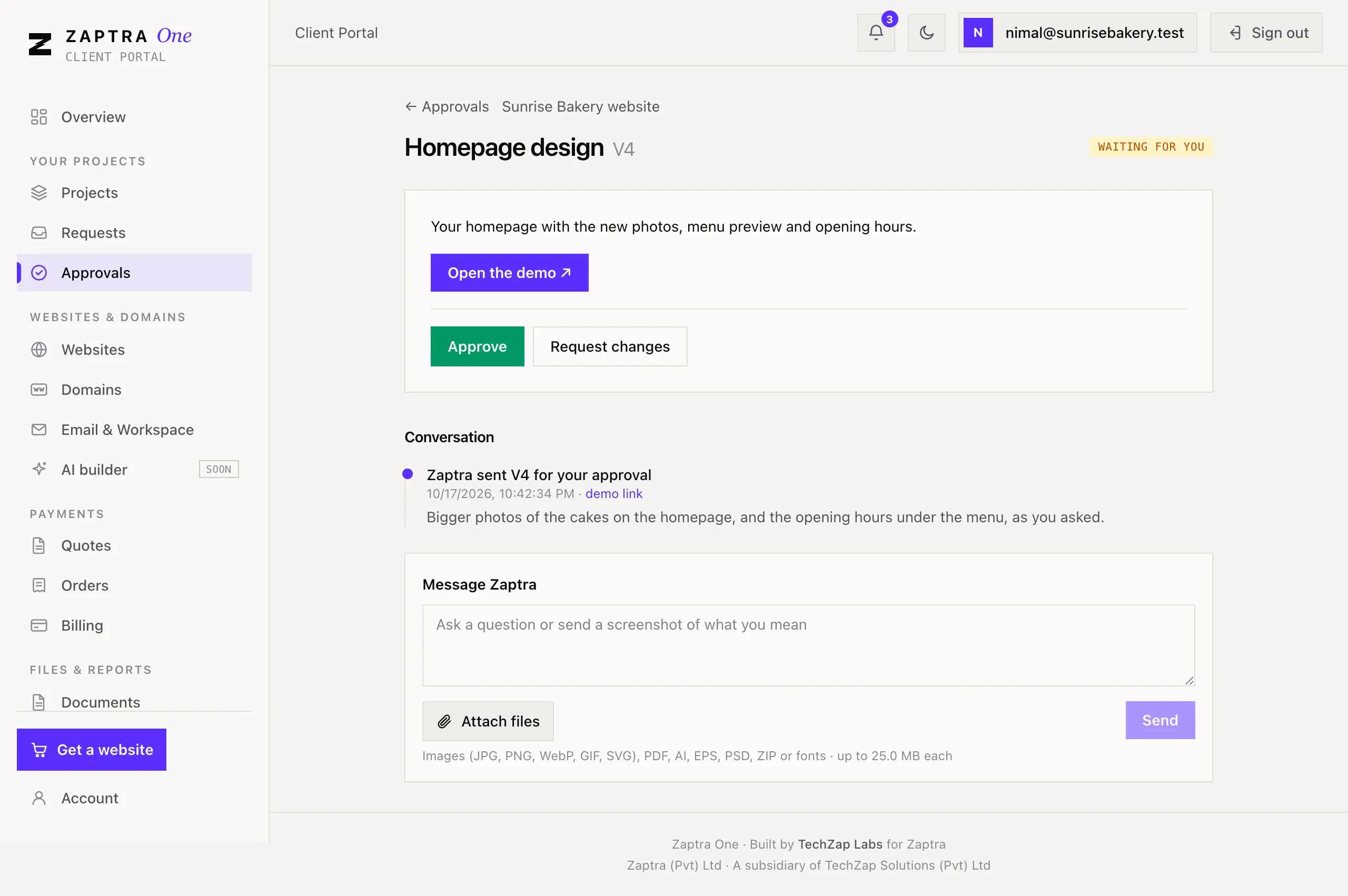
When you ask for changes, we work on them and send the next version (for example v2) to the same page for you to review again.
Only an Owner or Marketing user can approve or request changes. Others see Waiting for a decision from an owner or marketing contact.
Talk it through
Section titled “Talk it through”Under Conversation you’ll see each version we sent and each decision. To ask a question or show us what you mean, write in Message Zaptra, attach screenshots if they help, and click Send.