

Ask for a change
Use a request whenever you need something from us: a change to your website, new content, a technical problem, or a billing question.
Send a request
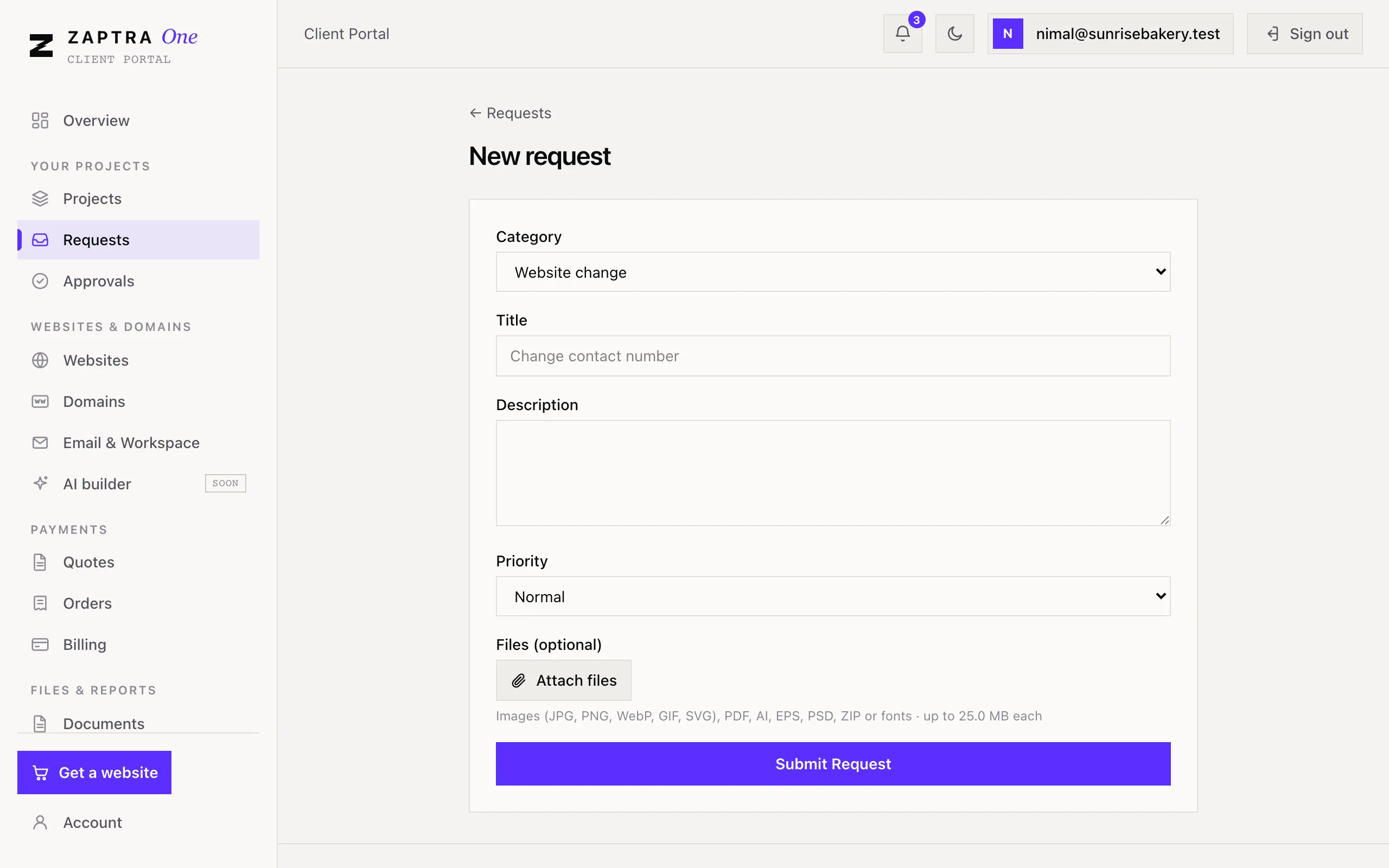
Section titled “Send a request”- Go to Your projects → Requests and click New Request. You can also use New request on the Overview page.
- Pick a Category: Website change, Content, Design, Technical, Billing or Other.
- Give it a short Title, for example “Change contact number”.
- In Description, tell us exactly what you need.
- Set Priority to High only if it’s urgent.
- Attach files if they help, then click Submit Request.
Follow it
Section titled “Follow it”Open the request to see its status and activity:
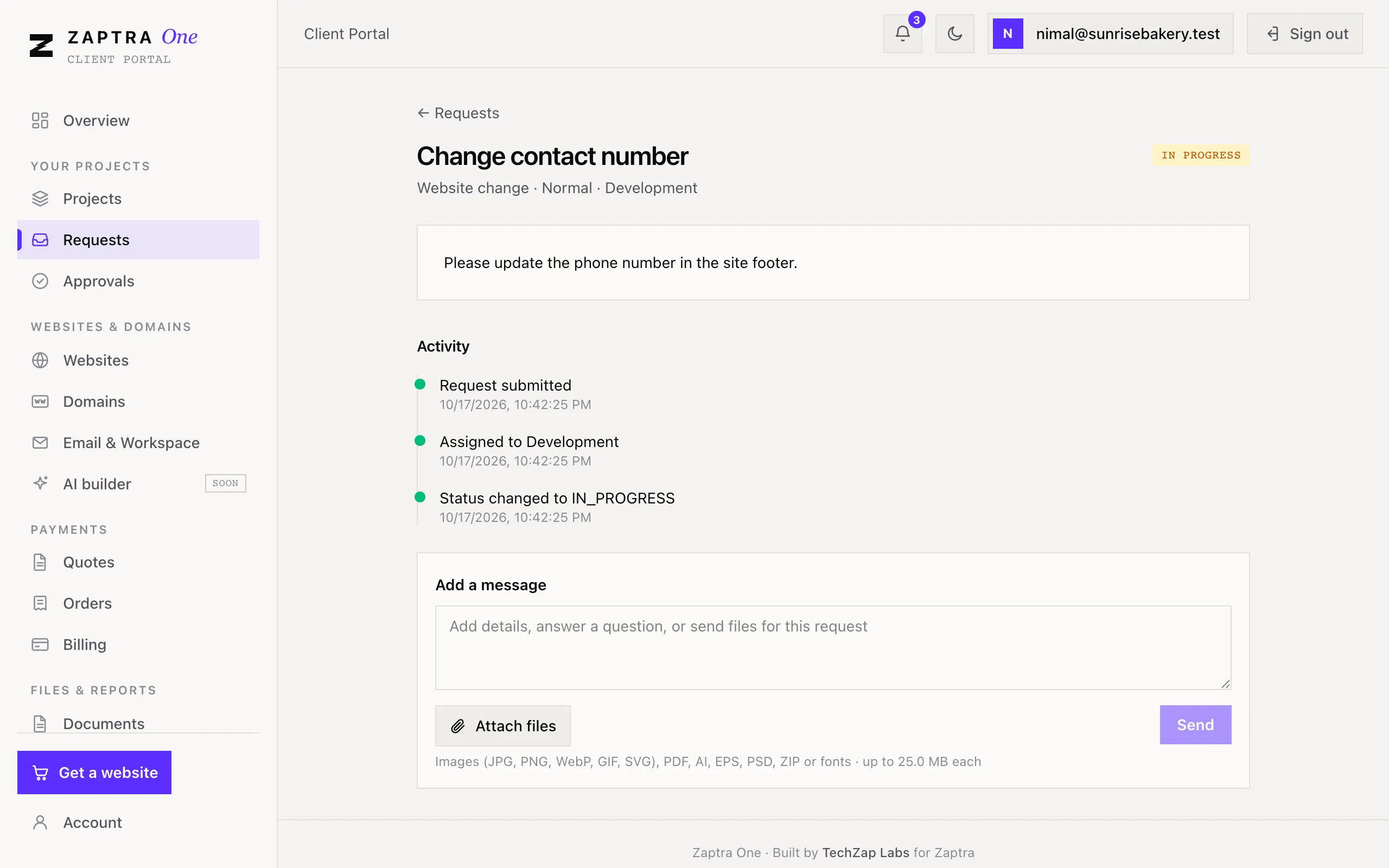
| Status | Meaning |
|---|---|
| Submitted | We’ve received it |
| Assigned | Someone on our team is looking after it |
| In progress | We’re working on it |
| Completed | It’s done |
| Cancelled | It was closed without being done |
To add details, answer our questions or send more files, use Add a message on the request.
Owner and Marketing users can send requests. Viewers can see them.