

Connect a domain you own
If you already have a domain from another provider, you can keep it there and point it to your Zaptra website. We’ll show you the exact records to add.
Add the domain
Section titled “Add the domain”- Go to Websites & domains → Domains and click Connect a domain you own.
- Type the domain, for example yourbusiness.lk, and click Continue.
- On the domain’s page you’ll see Point your domain to Zaptra and a list of records.
Add the records at your DNS host
Section titled “Add the records at your DNS host”- Sign in where you manage your domain’s DNS. This is usually where you bought the domain.
- Add each record exactly as shown: its Type, Name / Host and Value. Use the Copy buttons so nothing is mistyped.
- Delete any other A or AAAA records for your domain and for www, or visitors may land on your old site.
- Back in Zaptra One, click Check now, or wait for our automatic check.
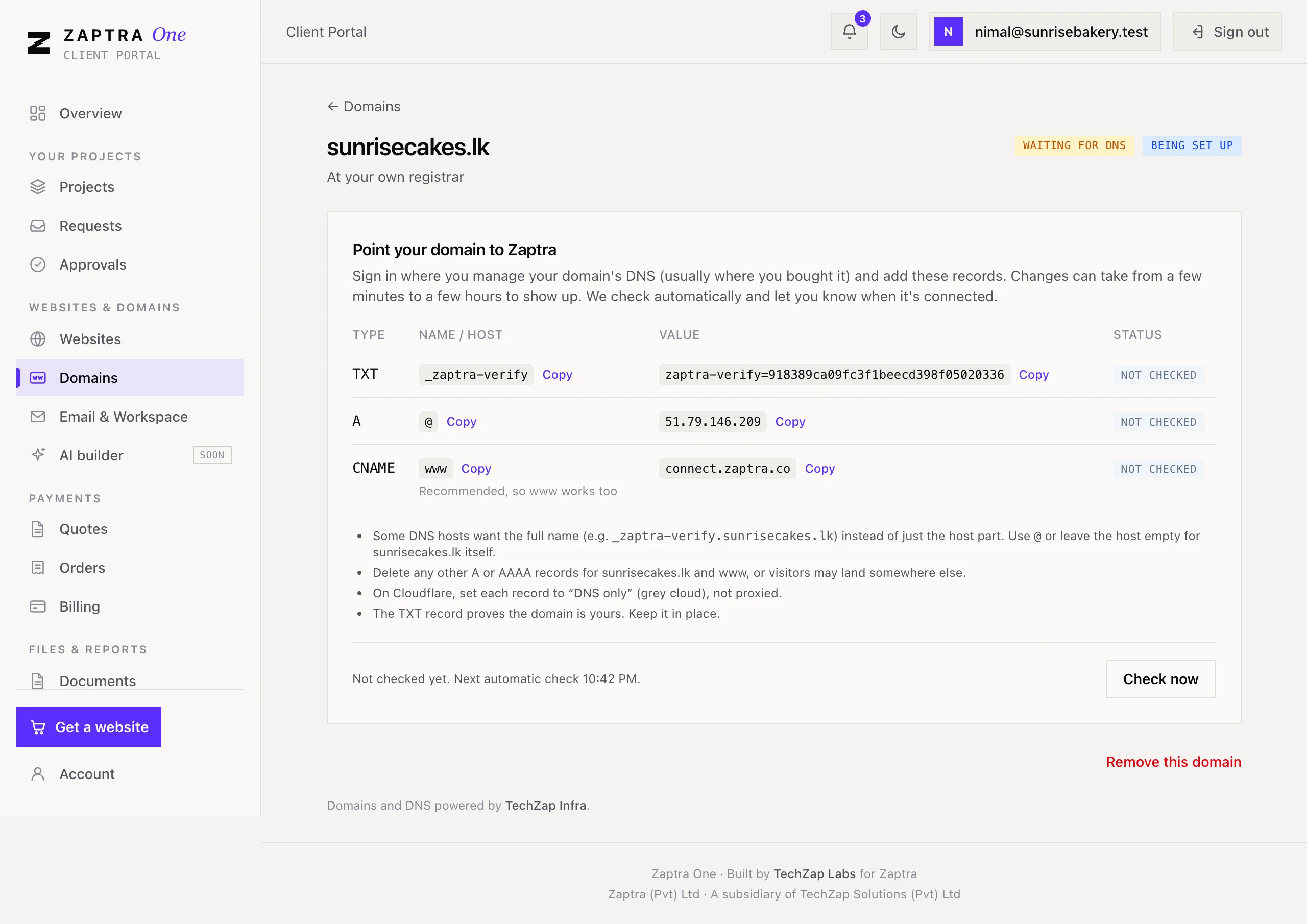
Changes can take from a few minutes to a few hours to show up. Each record shows Found, Not found yet or Needs a fix, with what we see now. When everything is right, the domain shows Connected and we let you know.
Keep the records in place
Section titled “Keep the records in place”The TXT record proves the domain is yours, and the others send visitors to your site. Leave them all in place. Your site’s security certificate (HTTPS) is issued automatically the first time someone visits.
If the domain shows Not pointing to Zaptra, the records were changed or removed. Put them back as shown on the page.
Renewing a domain you own
Section titled “Renewing a domain you own”A domain you connected stays registered with your own provider, so renew it there. Zaptra One reminds you before it expires.